
Cyber contest platform · physique · 2026
Who is bigger?
The global stage for bodybuilding categories. Fans vote in lightning-fast duels; athletes share direct links, climb leaderboards, and win official champion certificates.
- Who is bigger? The crowd decides.
- Vote. Rank. Rise.
- Your physique. Their verdict.
Coach · mobile-first
Train, eat, and track — between contests
Coach is your training HQ on WhoBigger — build programs, log live workouts, review history, chart progress, shoot weekly photos, and plan nutrition with science-backed calorie suggestions. Every feature below includes real app screenshots and a link to a full guide.
Open your CoachCoach · Programs
Training program builder
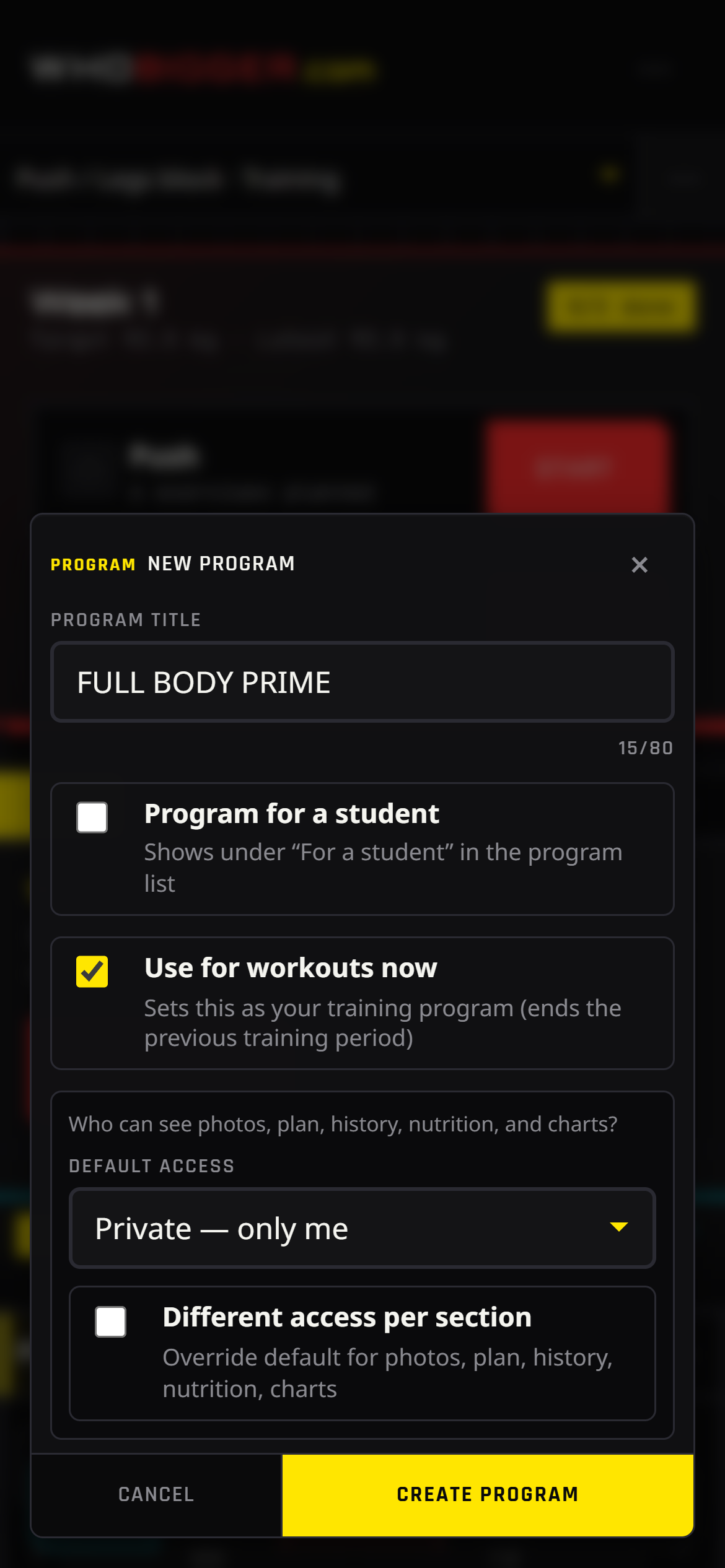
WhoBigger Coach is more than a contest profile — it is a full program editor you can run from your phone. Create separate plans for yourself or for athletes you coach, switch between them from the sidebar, and mark one program as your active training plan so live workouts and nutrition always use the right context.
Each program supports weekly structure: training days, exercise blocks, target sets and reps, and advanced layout like supersets. Fork programs from others, rename blocks, and keep everything autosaved while you edit.
How to use
- Sign in, then open Plan to edit your program.
- Tap + New program or pick an existing plan in the left sidebar.
- Name the program and add weeks; open a week to edit training days.
- Add exercises from the library or create custom movements; set sets, reps, and notes.
- Group exercises into supersets when you want back-to-back work with minimal rest.
- Open the ⋯ menu → Train with this to set the plan you will use in the gym.
Coach · Train
Live workout logging
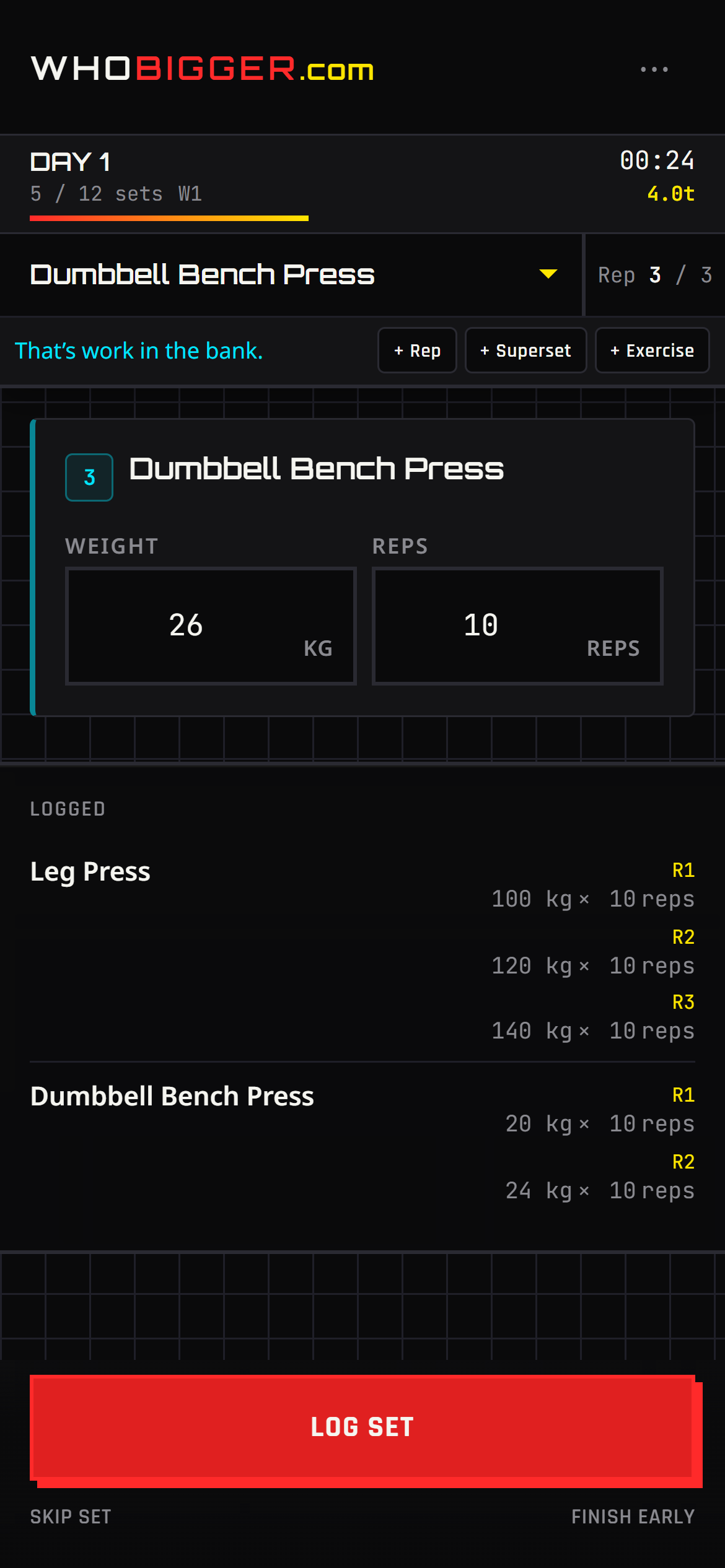
Tap Train in the nav to launch a session built from your active program. The live workout screen is designed for sweaty thumbs: see the current exercise, log weight and reps, mark sets complete, and move on without spreadsheets.
Life happens — add an extra set or throw in another exercise mid-session. When you finish, volume and duration feed your achievements, history, and progress charts automatically.
How to use
- Set your active program in Coach (⋯ menu → Train with this).
- Tap Train in the top bar or bottom navigation.
- Choose today’s workout from the program schedule.
- For each set, enter reps and weight, then mark the set done.
- Use + to add another set or an extra exercise if your plan changes on the floor.
- End the workout to save it to History and update streaks.
Coach · History
Workout history
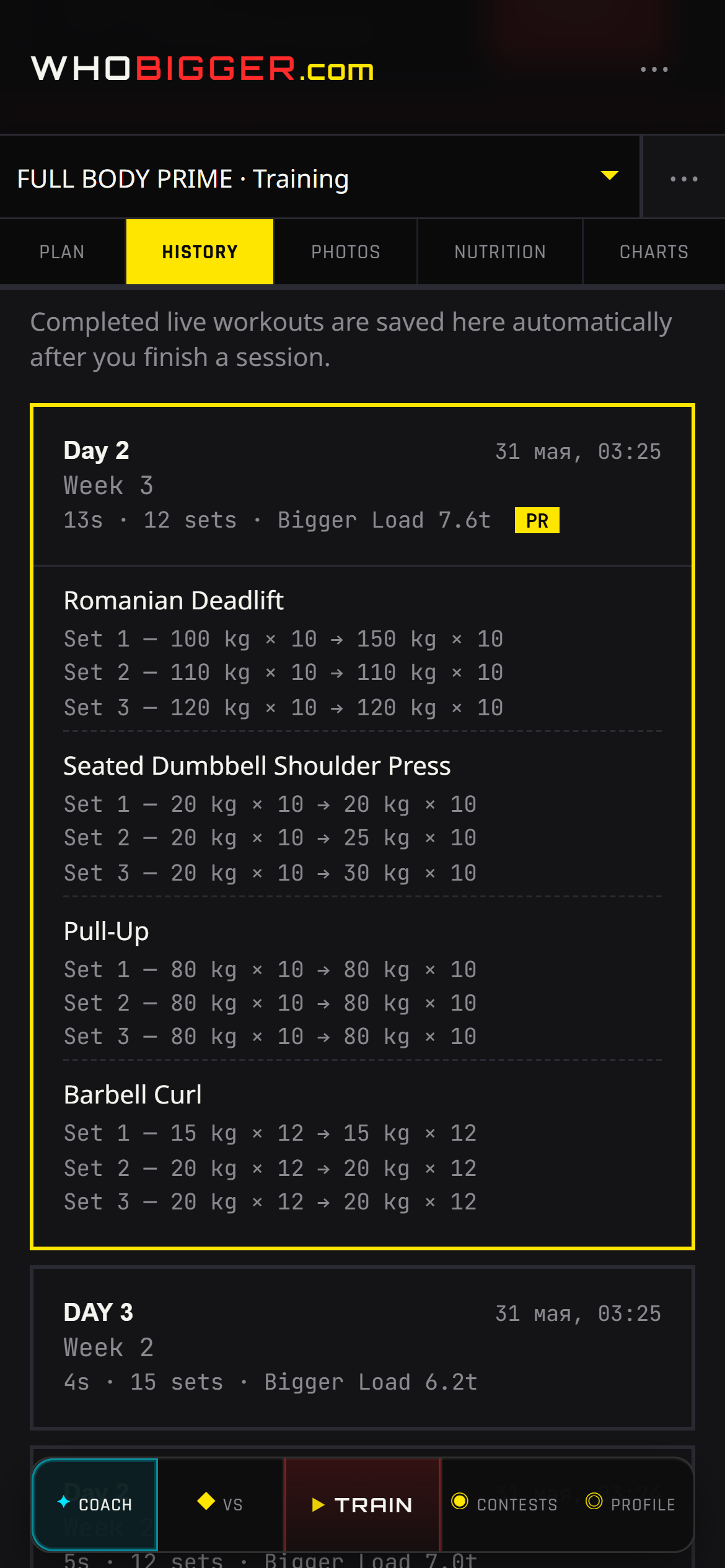
Every completed live workout lands in History with a timestamp, program name, and the sets you actually performed — not just what was planned. Scroll back before you design next week to see whether volume crept up or stalled.
History is private by default but respects program visibility if you share a plan with followers. Use it to verify consistency for prep or to show a coach what you did between check-ins.
How to use
- Open Coach and switch to the History tab.
- Browse sessions newest-first; each card shows date, workout name, and duration.
- Open a session to review exercises, sets, reps, and weights logged.
- Compare weeks mentally or jump to Progress charts for trends.
Coach · Photos
Progress photos
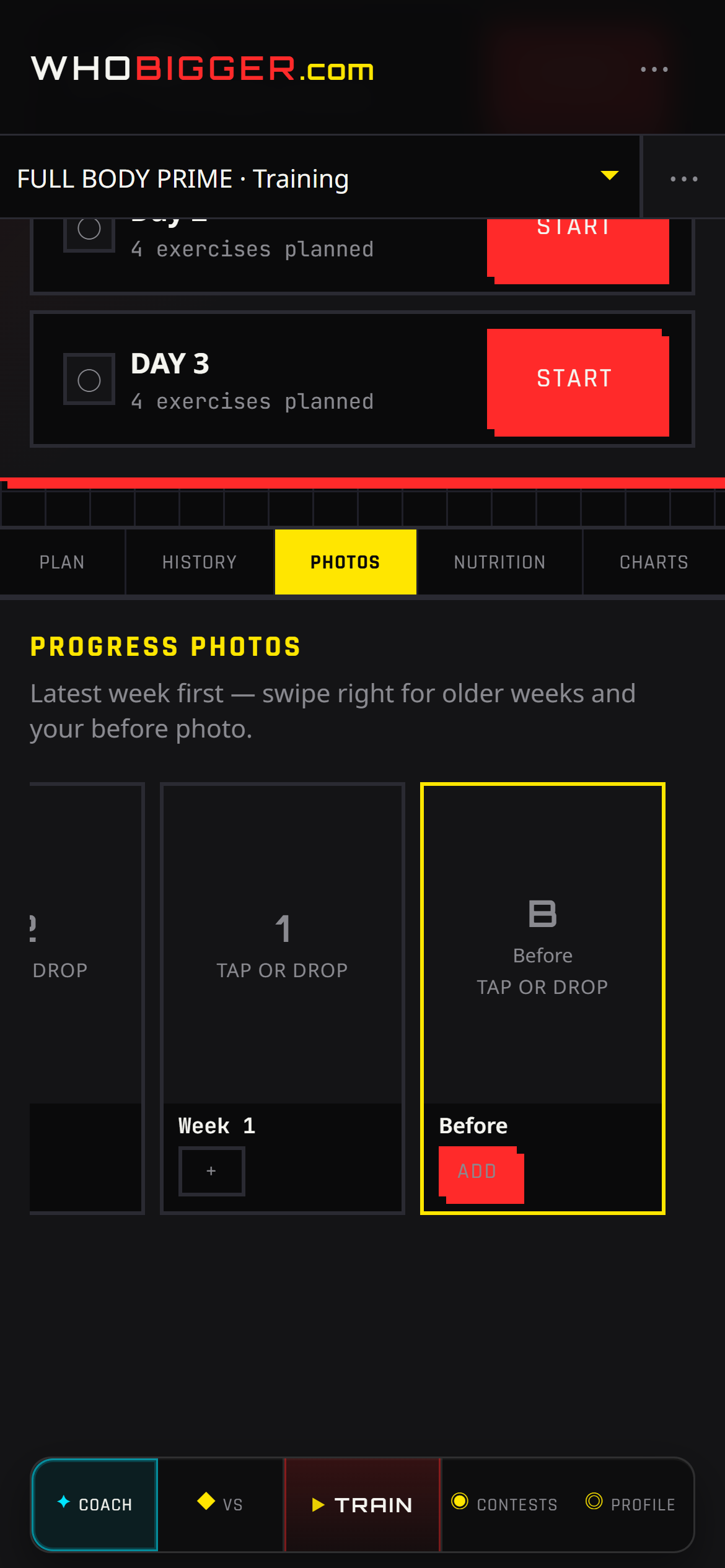
Numbers do not tell the whole story on stage. The Photos tab lets you attach check-in images to specific program weeks — ideal for contest prep, client coaching, or your own before/after timeline.
Photos follow the same visibility rules as the rest of your program. Keep them private while cutting, or share when you want supporters to see the journey alongside your public profile.
How to use
- In Coach, open the Photos tab.
- Select the program week you are documenting.
- Upload or replace images (front, side, back — however you shoot).
- Swipe between weeks later to compare conditioning.
Coach · Progress
Progress charts & goals
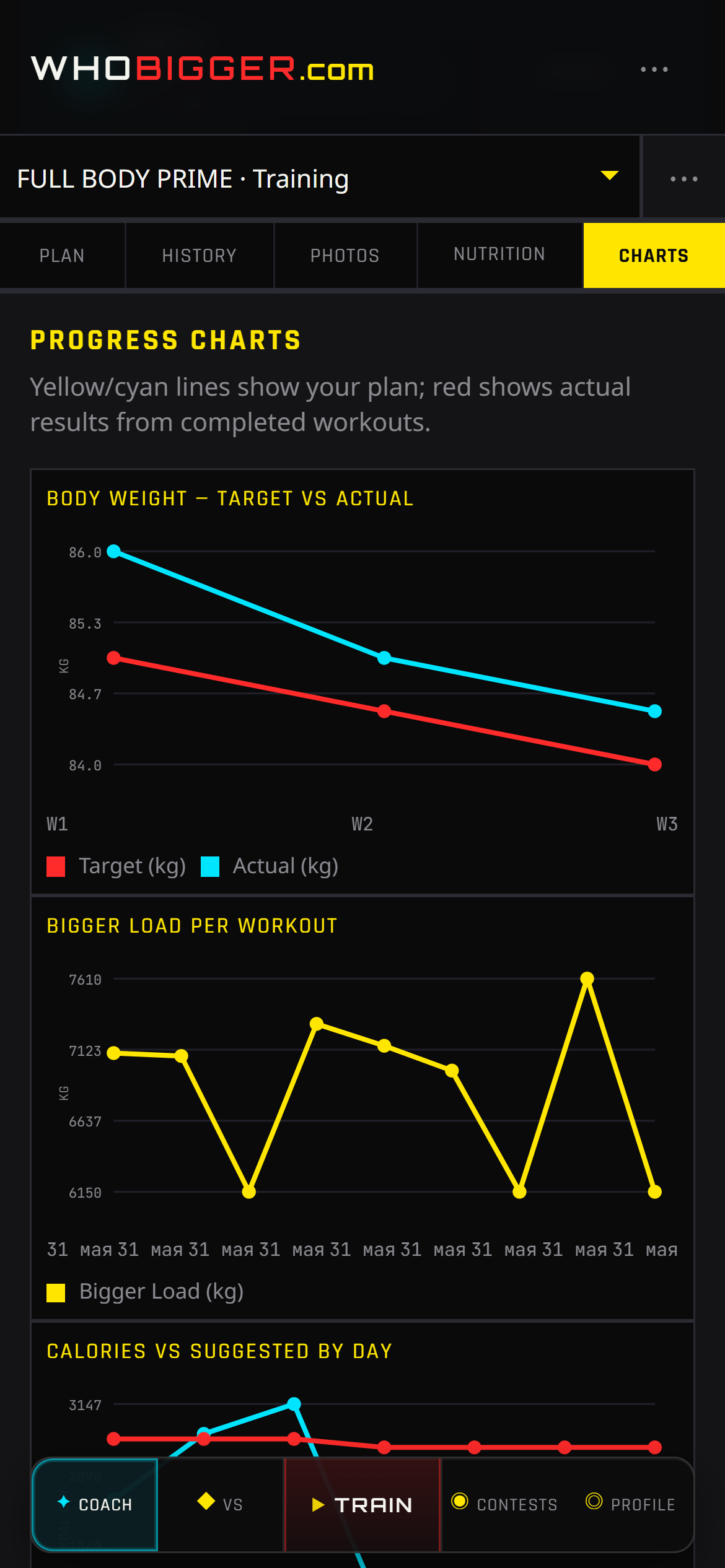
The Progress tab turns logged workouts and weekly weigh-ins into charts you can read at a glance. Watch training volume climb during a hypertrophy block, or catch a plateau when the bars flatten while weight stalls.
Charts pair with Nutrition and History — when the graph diverges from how you feel, drill into individual sessions or adjust targets instead of guessing.
How to use
- Log workouts in Train and body weight under Nutrition when relevant.
- Open Coach → Progress (charts tab).
- Review volume by week and body-weight trend lines.
- Use spikes or drops to plan deloads, diet changes, or contest peak timing.
Coach · Nutrition
Nutrition, diet log & calorie suggestions
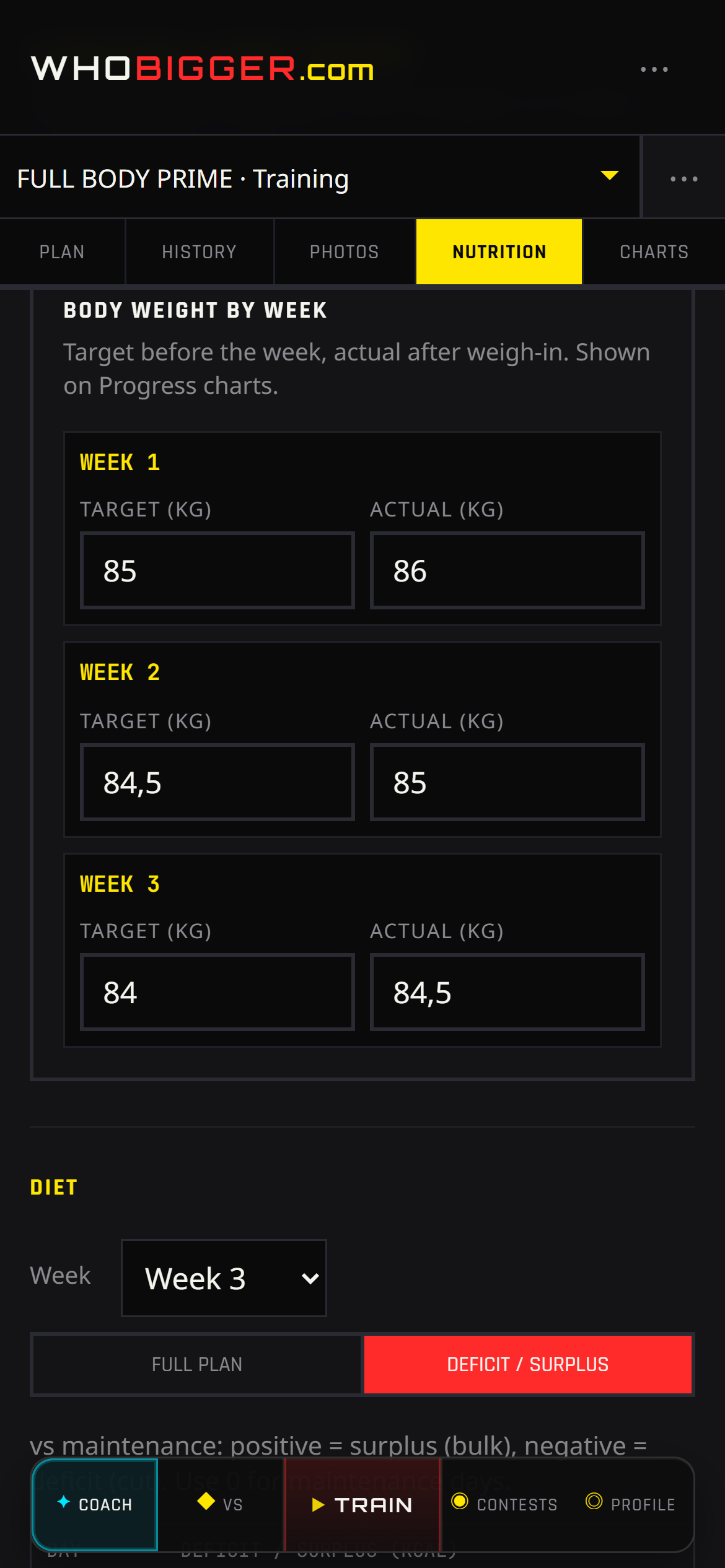
Nutrition in Coach supports two rhythms: Full mode for detailed food logs by day, and Deficit mode when you prefer hitting calorie targets instead of listing every meal. Enter actual body weight each week (and a target when cutting or gaining) so the app knows where you are versus where you want to be.
The Suggestion row is your guide — per-day kcal balance relative to estimated maintenance, not a medical prescription. Training days receive a bit more energy than rest days while keeping the same weekly average, which matches how athletes actually eat around hard sessions.
How to use
- In Profile, set sex and age (required for estimates).
- Open Coach → Nutrition and record body weight for the current week.
- Pick Full (food log) or Deficit (daily kcal targets).
- In Deficit, read the Suggestion values per weekday; expand “How we estimated this” for the math.
- Switch program weeks from the week dropdown to plan diet phases across a prep.
- Adjust targets if hunger, energy, or scale trend disagree — suggestions are a starting point.
Contests — see the platform in action
Pair voting, live rankings, champion profiles, and automated contest seasons. Sample data shown in previews below.
@iron_alex
ELO 1,842
@beast_mode
ELO 1,790
Tap the bigger physique
- 1@titan_kai9,420
- 2@muscle_roy9,105
- 3@flex_queen8,880
- 4@gym_wolf8,640
@titan_kai
Official champion certificate
Monthly
Voting · 12d left
Weekly
Finalized
Yearly
Opens Jan 1
Contests — how it works
- 01
Join a contest
Pick weekly, monthly, or yearly bodybuilding categories and upload your stage photos.
- 02
Get votes
Fans duel-vote head-to-head pairs. Share your direct supporter link to stack points.
- 03
Climb the board
ELO-style scoring ranks you in category leaderboards until the contest finalizes.
- 04
Win & certify
Category champions earn profile badges and an official PDF certificate by email.
Built for athletes & fans
Pair voting (VS)
Fast A/B duels — mobile-first, desktop side-by-side compare.
Direct vote links
Share /p/contest/entrant URLs so supporters vote without browsing.
Automated seasons
Weekly sprints, monthly seasons, yearly legends — contests run on schedule.
Public athlete profiles
SEO-friendly /u/slug pages with wins, sponsors, and social links.
Coach — training & nutrition
Programs, live workouts, history, photos, charts, and calorie suggestions in one mobile-friendly hub.
Local city guides
SEO pages for bodybuilding competition in major cities across USA, China, Russia, and Belarus.
Contest rhythms
Weekly
Fast sprints. Fresh pairs every day — perfect for momentum and social shares.
Monthly
Main season energy. Build rank, defend your spot, finalize as category champion.
Yearly
Legend status. Archive forever on your public profile and certificate PDF.
Find us when you search for
FAQ
What is WhoBigger?
An international online bodybuilding contest platform where athletes compete in categories and the community votes in head-to-head matchups.
How does scoring work?
Votes update ELO-style ratings. Rankings per category determine winners when a contest finalizes.
Is it free to join?
Yes — create an account, enter an open contest, and upload photos to start collecting votes.
What is Coach?
Coach is the built-in training module: program builder, live workout logging, history, progress photos, charts, and nutrition with calorie suggestions.
Fitness communities by city
Local guides for bodybuilding competition in major metros across the United States, China, Russia, and Belarus — each with contest features and Coach training tools.
Example: Los Angeles