
Coach · Train
Live workout logging
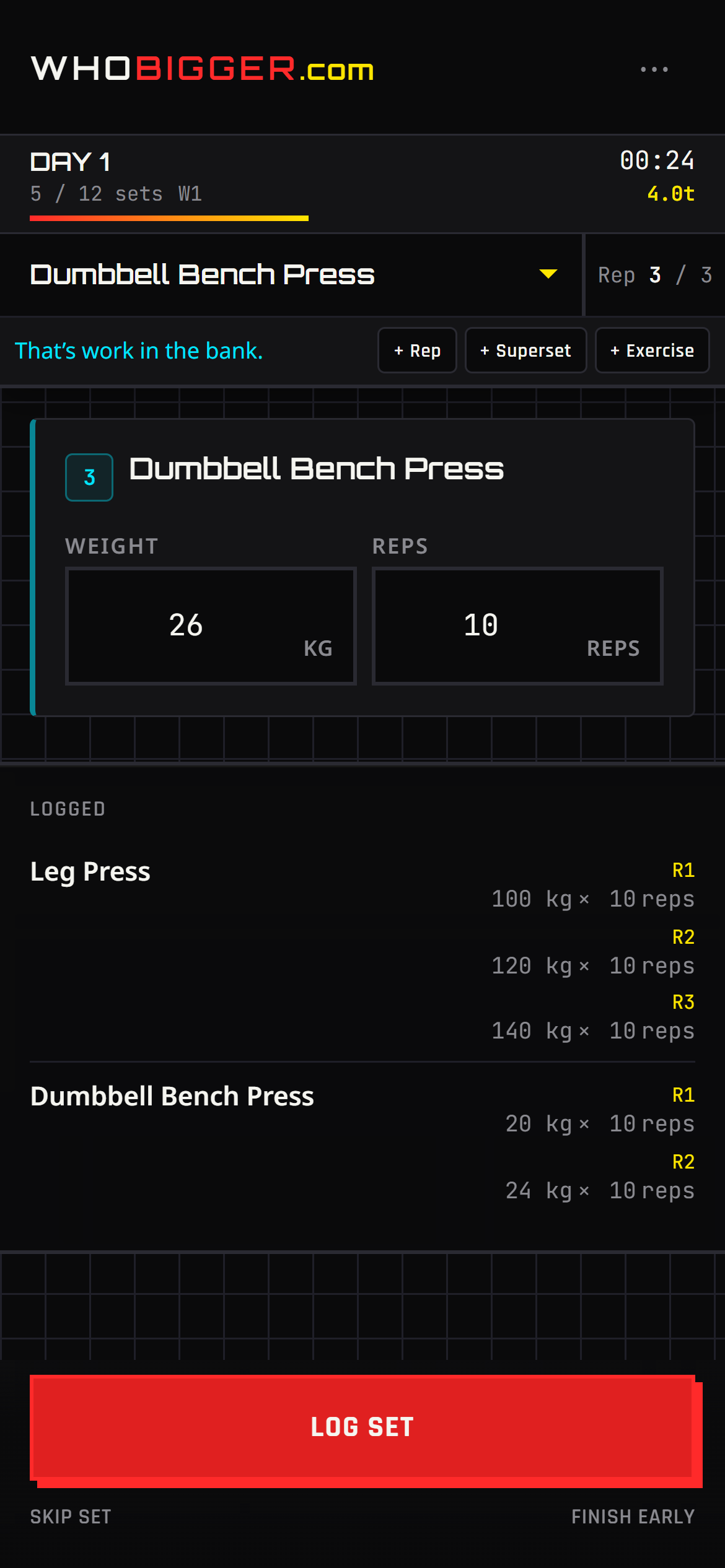
Tap Train in the nav to launch a session built from your active program. The live workout screen is designed for sweaty thumbs: see the current exercise, log weight and reps, mark sets complete, and move on without spreadsheets.
Life happens — add an extra set or throw in another exercise mid-session. When you finish, volume and duration feed your achievements, history, and progress charts automatically.
Screenshots
How to use it — step by step
- 1Set your active program in Coach (⋯ menu → Train with this).
- 2Tap Train in the top bar or bottom navigation.
- 3Choose today’s workout from the program schedule.
- 4For each set, enter reps and weight, then mark the set done.
- 5Use + to add another set or an extra exercise if your plan changes on the floor.
- 6End the workout to save it to History and update streaks.