
Coach · Progress
Progress charts & goals
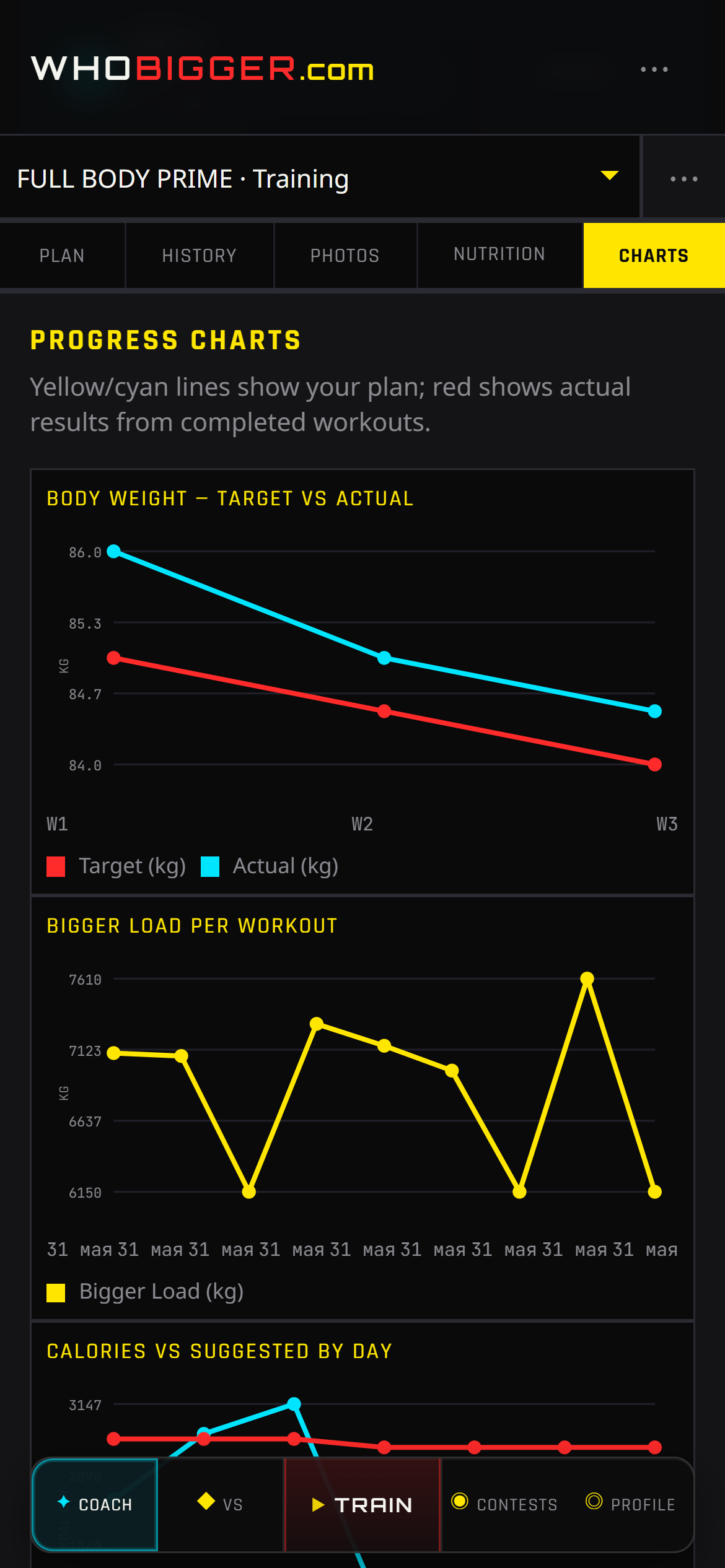
The Progress tab turns logged workouts and weekly weigh-ins into charts you can read at a glance. Watch training volume climb during a hypertrophy block, or catch a plateau when the bars flatten while weight stalls.
Charts pair with Nutrition and History — when the graph diverges from how you feel, drill into individual sessions or adjust targets instead of guessing.
Screenshots
How to use it — step by step
- 1Log workouts in Train and body weight under Nutrition when relevant.
- 2Open Coach → Progress (charts tab).
- 3Review volume by week and body-weight trend lines.
- 4Use spikes or drops to plan deloads, diet changes, or contest peak timing.