
Coach · Nutrition
Nutrition, diet log & calorie suggestions
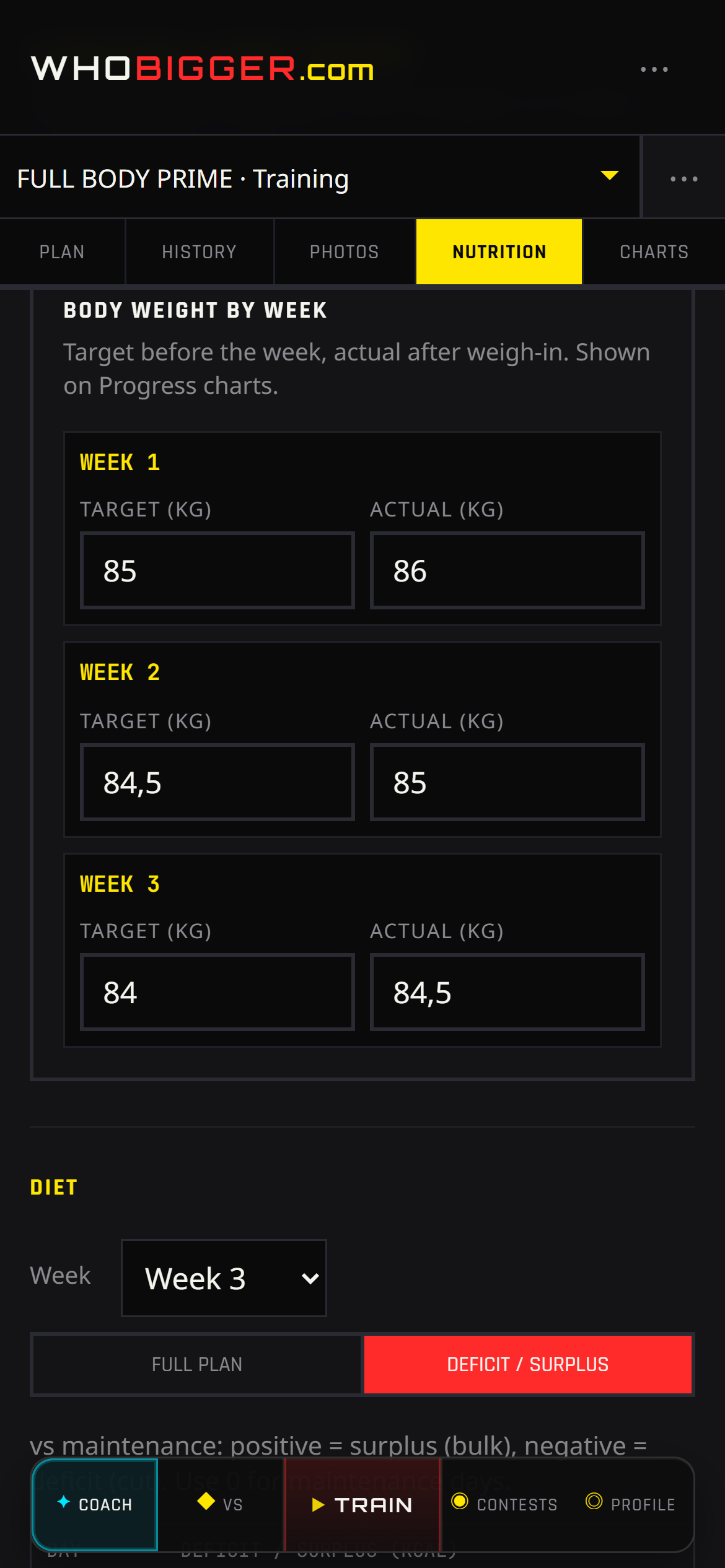
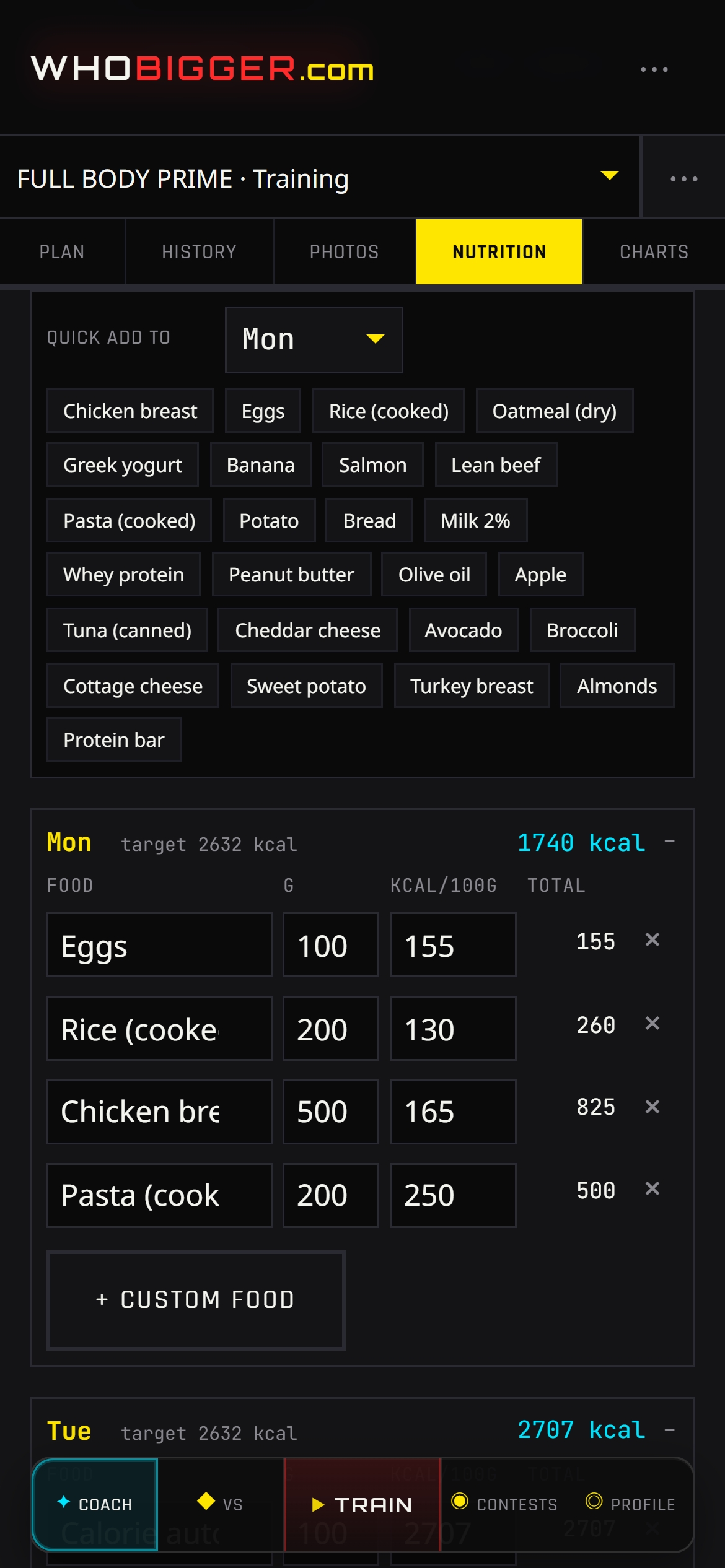
Nutrition in Coach supports two rhythms: Full mode for detailed food logs by day, and Deficit mode when you prefer hitting calorie targets instead of listing every meal. Enter actual body weight each week (and a target when cutting or gaining) so the app knows where you are versus where you want to be.
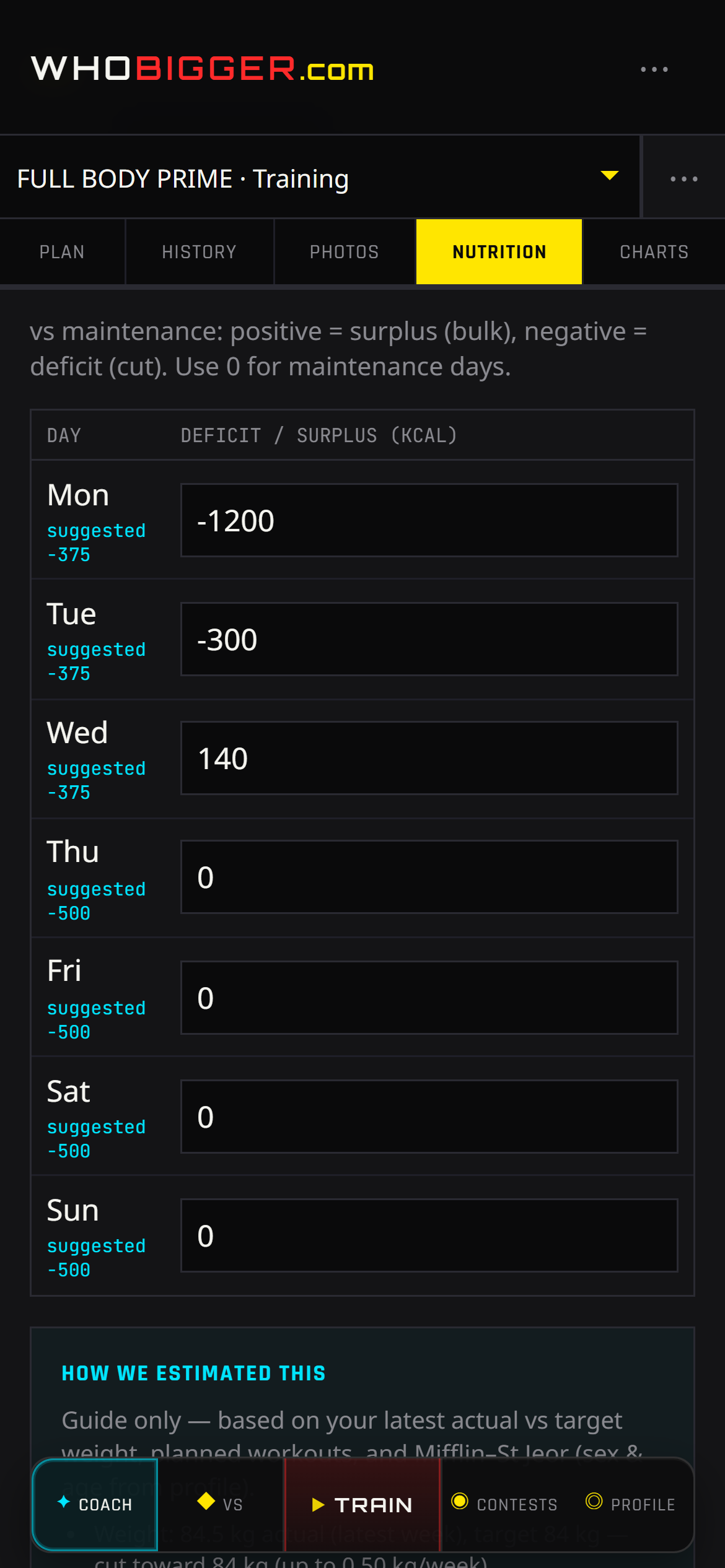
The Suggestion row is your guide — per-day kcal balance relative to estimated maintenance, not a medical prescription. Training days receive a bit more energy than rest days while keeping the same weekly average, which matches how athletes actually eat around hard sessions.
Screenshots
How to use it — step by step
- 1In Profile, set sex and age (required for estimates).
- 2Open Coach → Nutrition and record body weight for the current week.
- 3Pick Full (food log) or Deficit (daily kcal targets).
- 4In Deficit, read the Suggestion values per weekday; expand “How we estimated this” for the math.
- 5Switch program weeks from the week dropdown to plan diet phases across a prep.
- 6Adjust targets if hunger, energy, or scale trend disagree — suggestions are a starting point.
How calorie suggestions are calculated
We estimate BMR with the Mifflin–St Jeor equation using your latest body weight, sex, age, and an estimated height derived from weight at BMI 23.
That BMR is multiplied by an activity factor based on how many workouts are planned in the active program week (1.2–1.9×) to approximate maintenance calories.
Your target weight change — up to 0.5 kg loss or 0.35 kg gain per week — is converted into a daily surplus or deficit using 7,700 kcal per kilogram, spread across seven days.
Training days are bumped by about 125 kcal versus rest days while preserving the weekly average, so harder days can be fueled without redoing the entire calculation.
These numbers are educational guidance only; always adjust for recovery, health, and contest timing with a qualified coach or clinician when needed.