Platform guide
Progress photos bodybuilding prep
About progress photos bodybuilding prep
Progress photos bodybuilding prep during prep needs consistent angles, dates, and privacy you control. WhoBigger Coach lets athletes capture weekly progress photos alongside training data so comparisons reflect reality — not random camera-roll scrolls.
Organize check-ins by week, review front and side progress during a cut, and keep photos private until you are ready to upload contest shots. The same profile powers public voting pages when you enter a category.
For coaches, progress photos bodybuilding prep on WhoBigger complements program edits and nutrition targets — one hub for how the athlete actually looks week to week.
Coach · Photos
How WhoBigger delivers this
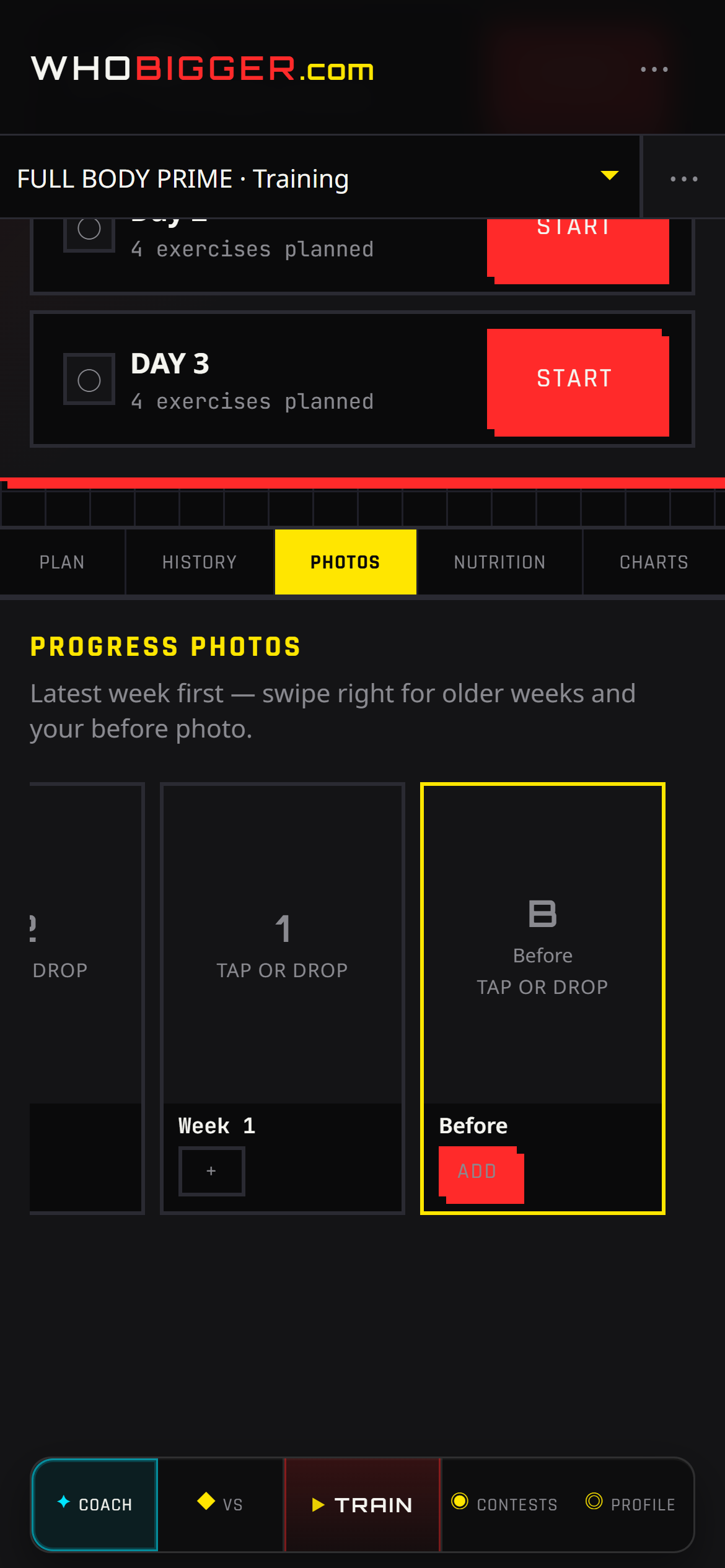
Numbers do not tell the whole story on stage. The Photos tab lets you attach check-in images to specific program weeks — ideal for contest prep, client coaching, or your own before/after timeline.
- In Coach, open the Photos tab.
- Select the program week you are documenting.
- Upload or replace images (front, side, back — however you shoot).
- Swipe between weeks later to compare conditioning.